


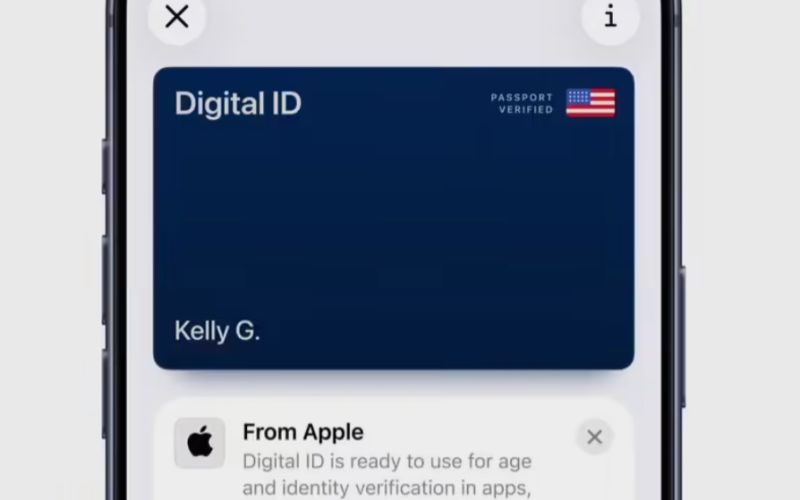
Apple today announced on its official website that iPhone and Apple Watch users can now create a digital ID (Digital ID) in the Wallet app using their U.S. passport.
Apple has introduced the Digital ID function in the Wallet app in the U.S., which requires authentication with a U.S. passport and can currently be used for domestic flight security checks.
According to the press release cited by IT Home, the feature applies to iPhones 11/Apple Watch Series 6 or newer devices running iOS/watchOS 26.1 or later. It also requires that the user’s Apple ID has Two-Factor Authentication enabled, and the device region is set to the United States.
Currently, users can open the Wallet app, tap the “+” at the top right to add a digital ID. Just select “Driver’s License or ID,” tap “Digital ID” to begin. During setup, users scan the portrait page of their U.S. passport with their iPhone, then hold the iPhone against the chip on the back cover of the passport to verify the authenticity of the data.
Next, the system will ask the user to take a selfie and perform live movements (e.g., nodding, opening their mouth) to ensure the person is genuine. After successfully creating the digital ID, users can use it at TSA security checkpoints in U.S. airports for domestic flights. However, it does not replace the physical passport, and cannot be used for international travel or cross-border entry.
Apple stated that the feature is currently in public beta and is already available at over 250 TSA checkpoints at U.S. airports. In the future, users will also be able to present their digital ID at select physical stores for identity or age verification, as well as in supported apps and websites.
Apple emphasizes that the digital ID data is encrypted and protected; when presenting it, users do not need to unlock, hand over, or give the device to another person.
The above content is compiled by ModeZone, a fashion and entertainment magazine.