

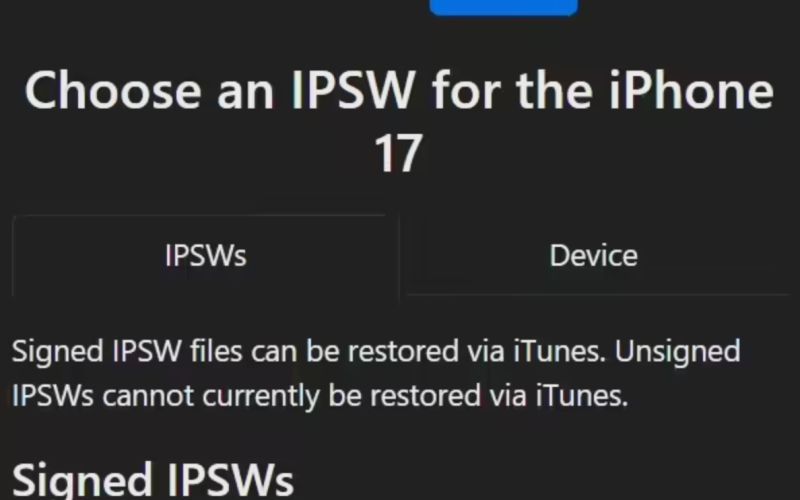
Apple has closed the verification channel for iOS / iPadOS 26.0.1, meaning that iPhone or iPad users who have upgraded to iOS / iPadOS 26.1 will no longer be able to downgrade through official means.
Apple closes iOS 26.0.1 verification channel — users cannot downgrade after updating to iOS 26.1
Apple’s iOS system uses a unique verification mechanism: before a user can downgrade or install any version of iOS, the firmware must be validated via Apple’s servers. If Apple closes the verification channel for a given version, users can no longer install that older version.
Apple typically closes the verification channel for an old system about a week or two after the new version is released. This standard practice is intended to ensure that users run the latest security patches and to block the possibility of downgrading for those who have already updated.
For reference, iOS/iPadOS 26.1 was released on November 4 as the first significant update since the launch of iOS 26 in September. It brings multiple system optimizations and interface improvements, including a “Liquid Glass” tone that can be adjusted with a “Hue” option, an updated alarm and timer lock-screen dismissal mechanism, and expanded language support (including Traditional Chinese) for Apple Intelligence.
Why doesn’t Apple let you downgrade iOS?
There are several reasons why Apple prevents users from downgrading to older versions of iOS:
- Security & vulnerability mitigation: Older iOS versions often have known security flaws or vulnerabilities that can be exploited. By preventing downgrades, Apple ensures that devices cannot revert to insecure states.
- Device and ecosystem integrity: When many users run the same (latest) version of the OS, it is easier for Apple and developers to test, fix bugs, and ensure compatibility. Allowing many different dropped versions makes support more complex
- Firmware signing mechanism: Each iOS version must be digitally signed by Apple’s servers to be installed or restored. Once Apple stops “signing” (verifying) an older version, installation of that version becomes impossible via official channels.
- Encouraging timely updates: By restricting return to older versions, Apple gently nudges users to stay current, which helps maintain a healthier ecosystem overall.
Because of these factors, once you have upgraded to iOS/iPadOS 26.1 (or any newer signed version), you can no longer revert to 26.0.1 (or an earlier version) via official means — the verification channel has been closed.
The above content is compiled by ModeZone, a fashion and entertainment magazine.