Will the Switch 2 have good graphics?
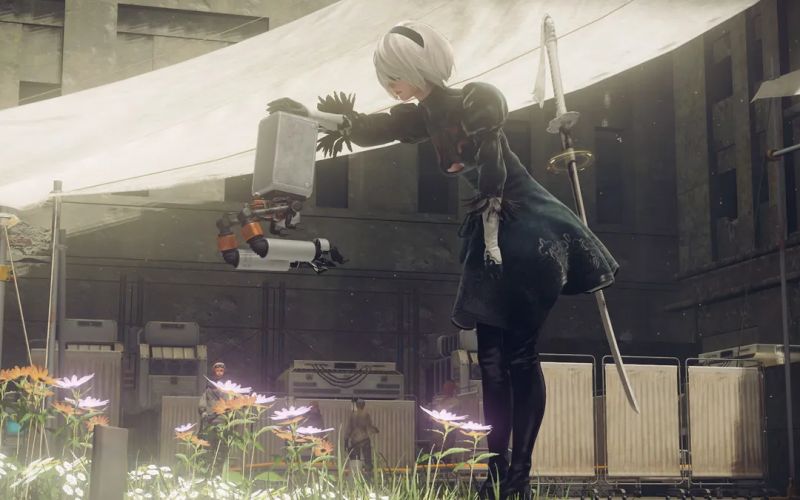
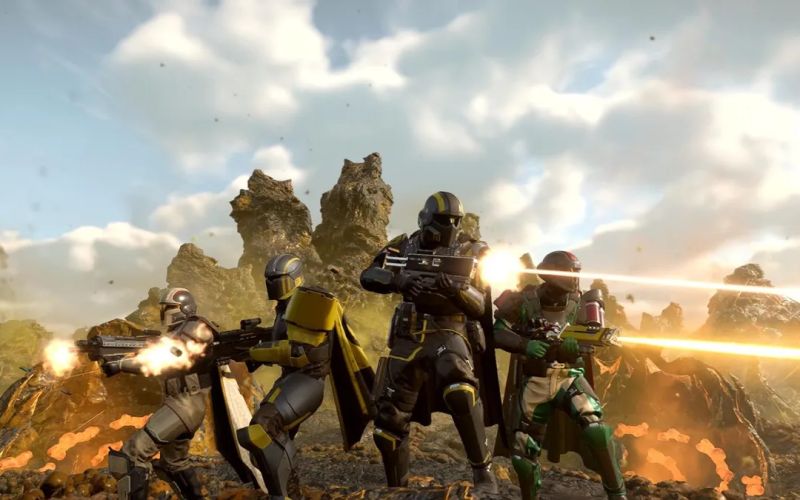
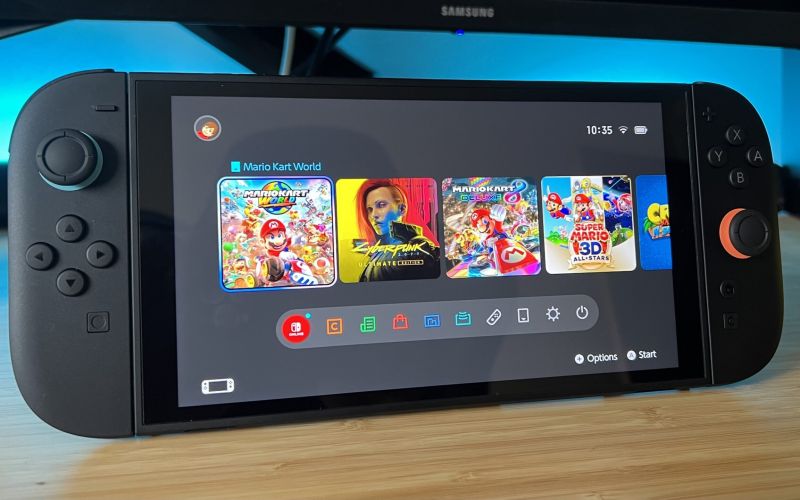
Yes — the Switch 2 brings a significant upgrade in graphics capabilities compared to the original Nintendo Switch. According to official Nintendo information, the handheld screen of the Switch 2 is a 7.9-inch display supporting Full HD (1080p) resolution.
In TV/docked mode, the system supports output up to 4K resolution when connected to a compatible display.
Additional features include support for higher refresh rates (up to 120Hz in handheld mode, depending on the game) and HDR.
In short, yes, the hardware is better — you should expect better graphics, potentially, especially for software optimised for it.
Why do Switch games look worse on Switch 2?
Despite the upgraded hardware, there are reasons why games originally designed for the Switch (or older consoles) might appear inferior on the Switch 2 — especially in specific modes or contexts. Here are some of the main reasons:
- Resolution mismatch/upscaling
. Many existing Switch games were developed with the original Switch’s resolution in mind (handheld mode: ~720p, and variable in docked mode). The Switch 2’s handheld screen, with a 1080p resolution, means that older games may need to be upscaled or stretched to fill the higher resolution without specific optimisation, which can lead to blurrier or softer visuals. - Native resolution of older games
. Some games may have even had native resolutions below 720p (for instance, ~540p in handheld mode). When displayed on a 1080p screen, the gap is magnified, and the image may appear less sharp than on the original hardware, where the screen resolution and the game’s output were more closely matched. - Emulation/compatibility layer
. If backward compatibility is handled via a translation or emulation layer, performance or graphic fidelity might not automatically match that of the original hardware. Unless developers release patches, older games may run in a mode that doesn’t fully utilise the new hardware. - Game-specific optimisation is needed to take full advantage of the new screen, refresh rates, and higher resolution output. As a result, games often require new patches or re-release versions. If a game hasn’t been updated, it may simply run in its original mode and look relatively worse on better hardware.
So when you ask “why do Switch games look worse on Switch 2?”, the answer is: the hardware changed (higher resolution, different screen), but many games weren’t optimised for that change — so they may stretch or scale in ways that degrade visual clarity.
Why are my Nintendo Switch graphics bad?
If you’re experiencing poor graphics on your Nintendo Switch (whether original or 2), here are factors to check and possible causes:
- Screen resolution and display mode: If you are using handheld mode, the built-in screen resolution and the game’s output resolution matter. Older games might not be as sharp as newer ones.
- Graphics settings/game version: Some games may offer “performance mode” vs “quality mode” toggles. Lower modes sacrifice visual fidelity for a smoother frame rate.
- Display quality: The Switch uses its own screen (for handheld mode) or your TV (for docked mode). If your TV has poor upscaling or low-quality settings, the picture can suffer.
- Game optimisation/patching: If a game hasn’t been optimised for your hardware (especially if you’re using the Switch 2 and playing an older game), its visuals may be sub-par.
- Expectations vs. reality: The Switch line has traditionally prioritised portability and flexibility over being a high-end graphics machine. So if you compare it to a high-end PC or latest-gen console, the graphics will naturally be less advanced.
- Maintenance/hardware condition: In rare cases, screen damage, incorrect display settings (such as brightness or HDR being off), or a faulty HDMI connection (when in docked mode) can impact visual quality.
If you tell me your specific symptoms (e.g., blurry vision, artefacts, low resolution, screen mode, and the game), I can help diagnose the issue further.
Will the Switch 2 have better resolution?
Yes — compared to the original Switch, the Switch 2 improves display resolution and support for higher-quality output. Key points:
- The handheld screen supports 1080p resolution.
- In docked mode, the Switch 2 can output up to 4K resolution to a compatible TV or monitor.
- The refresh rate support is higher (up to 120Hz in handheld mode, depending on the game) and features like HDR and variable refresh rate (VRR) are supported.
- Thus, yes — higher resolution and better display features are part of the hardware upgrade.
However, Better resolution doesn’t automatically mean every game will look better. If a game is not optimised, the benefit may be limited.
Summary
So, putting it all together:
- The Switch 2 features significantly improved graphical hardware and display capabilities, including higher resolution, faster refresh rates, and HDR support.
- But the real-world visual quality you’ll see depends heavily on whether a game is optimised for the new hardware (or whether you’re playing an older game on the new machine) and how the quality of display/output is handled.
- Suppose you’re seeing graphics that feel “bad” (blurry, low-res, less detailed) on a Switch system. In that case, it may be due to a mismatch between the game’s original output and the display, or limitations in optimisation — not necessarily a fault of the hardware itself.
• • And yes — the Switch 2 does “have better resolution”, but better resolution alone isn’t a guarantee of perfect visuals for every title.
The above content is compiled by ModeZone, a fashion and entertainment magazine.