

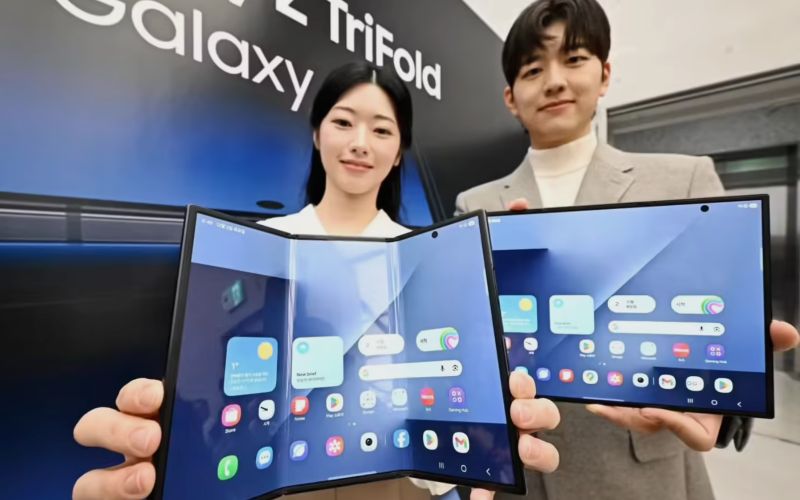
Tech media PC-tablet reported yesterday (December 10) that Samsung’s most expensive smartphone to date — the Galaxy Z TriFold, the company’s first tri-fold device — can double as a wireless external monitor for Windows 10 and Windows 11 PCs using Miracast technology.
According to the report, business users and frequent travelers may find this feature especially useful. By using a simple, quick setting toggle on the phone or pressing Windows + K on a compatible PC, users can instantly gain a dual-screen office setup without needing to carry a bulky portable monitor.
The Galaxy Z TriFold’s 10-inch Dynamic AMOLED 2X display features a 2160 × 1584 resolution and supports a 120 Hz adaptive refresh rate, ensuring smooth visuals when used as a secondary screen.
Here’s how it works: the phone’s screen is made discoverable through its Second Screen feature (found in Settings under Connected Devices), and the Windows PC can then detect it as an available wireless display via the system’s Connect to a wireless display interface or the Win + K shortcut. Once connected, the PC can extend or mirror its desktop onto the TriFold’s 10-inch panel just like a conventional external monitor.
This capability builds on Miracast’s standard wireless display support — essentially “HDMI over Wi-Fi” — enabling the phone to receive and show the PC’s display without cables.
The above content is compiled by ModeZone, a fashion and entertainment magazine.