

If you’re looking to view or manage your Exploration Skills in Where Winds Meet, the game places this menu a few layers deep. Follow the steps below to find it quickly.
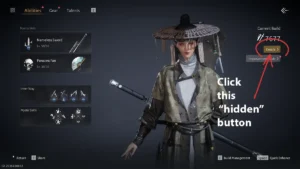
Step-by-Step: Where to Find the Exploration Skills Menu
- Open the Main Menu
- Select Develop
- Choose Details
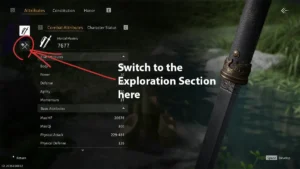
- You will land on the Attributes tab by default
- On the left side of the screen, switch to the Exploration Section
- Look for the pickaxe and shovel icon
- It’s located in the upper-left area
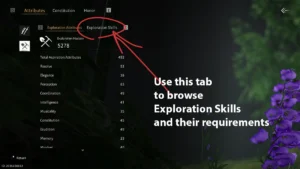
- Open the Exploration Skills tab
What You Can See in the Exploration Skills Tab
Inside this menu, players can view:
- ✅ All unlocked and locked Exploration Skills
- 📊 Total Aspiration value
- 🧭 Exploration Attribute requirements for each skill
This is the central place to check whether you meet the conditions to unlock or upgrade specific exploration-related abilities.
Why This Menu Is Easy to Miss
The Exploration Skills menu is not part of the main skill tree and is hidden inside the Attributes → Exploration subsection. Many players miss it early on, mainly if they focus only on combat or story progression.
The above content is compiled by ModeZone, a fashion and entertainment magazine.