

Technology media 9to5Mac today (November 12) published a blog post summarizing the update contents of Apple’s iOS 26.2 Beta 2. This update mainly integrates the “Measure” and “Level” native apps into the Liquid Glass design language and adjusts specific system animations to make them more “springy”.
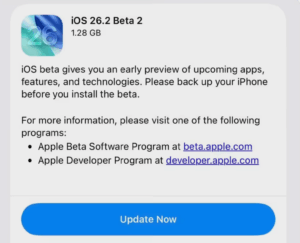
Apple iOS 26.2 Beta 2 Update Summary: UI animations are more elastic, and expansion of the Liquid Glass design
Expansion of Liquid Glass design language
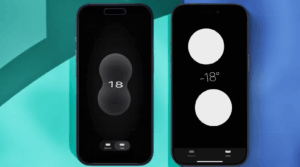
The system's built-in “Measure” and “Level” tools, which previously had flat designs, have been replaced with a transparent, glass-textured interface. In the updated Level tool, two interactive “liquid glass” rings will be displayed, enhancing the visuals' vividness.
UI animations are more elastic
In the new version, Apple has adjusted system menu animations. For example, in the Photos app, when tapping the menu icon or editing home-screen widgets, you’ll see a more elastic animation effect — closer to the visual style previewed at WWDC 2025.

Enhanced gaming features
Users can now view their friends’ currently playing games, upcoming new releases, and real-time activity for games they themselves play, all within the app. The app also allows users to view, filter, and sort all games previously downloaded from the App Store.
The new version also strengthens social interaction features: users can directly invite friends for challenges or real-time multiplayer games via the Games app; when a friend breaks your high score, the system will send a notification so you can immediately launch a “revenge” challenge.

CarPlay
For CarPlay users, iOS 26.2 Beta 2 provides a slight but practical improvement. Apple has added a separate toggle switch in CarPlay that allows users to decide whether to show fixed iMessage info on the car display.
Previously, CarPlay would directly sync the iPhone’s settings; this new switch gives users greater customization freedom in the car scenario, allowing them to satisfy different contexts and privacy needs.

“Edge Light” for Mac
This function can generate a virtual ring light around the edge of the Mac display, providing even, soft fill lighting for the user’s face during video calls or recordings. For users who frequently require online meetings or content creation, this is undoubtedly a practical solution that eliminates the need for additional hardware.
The above content is compiled by ModeZone, a fashion and entertainment magazine.